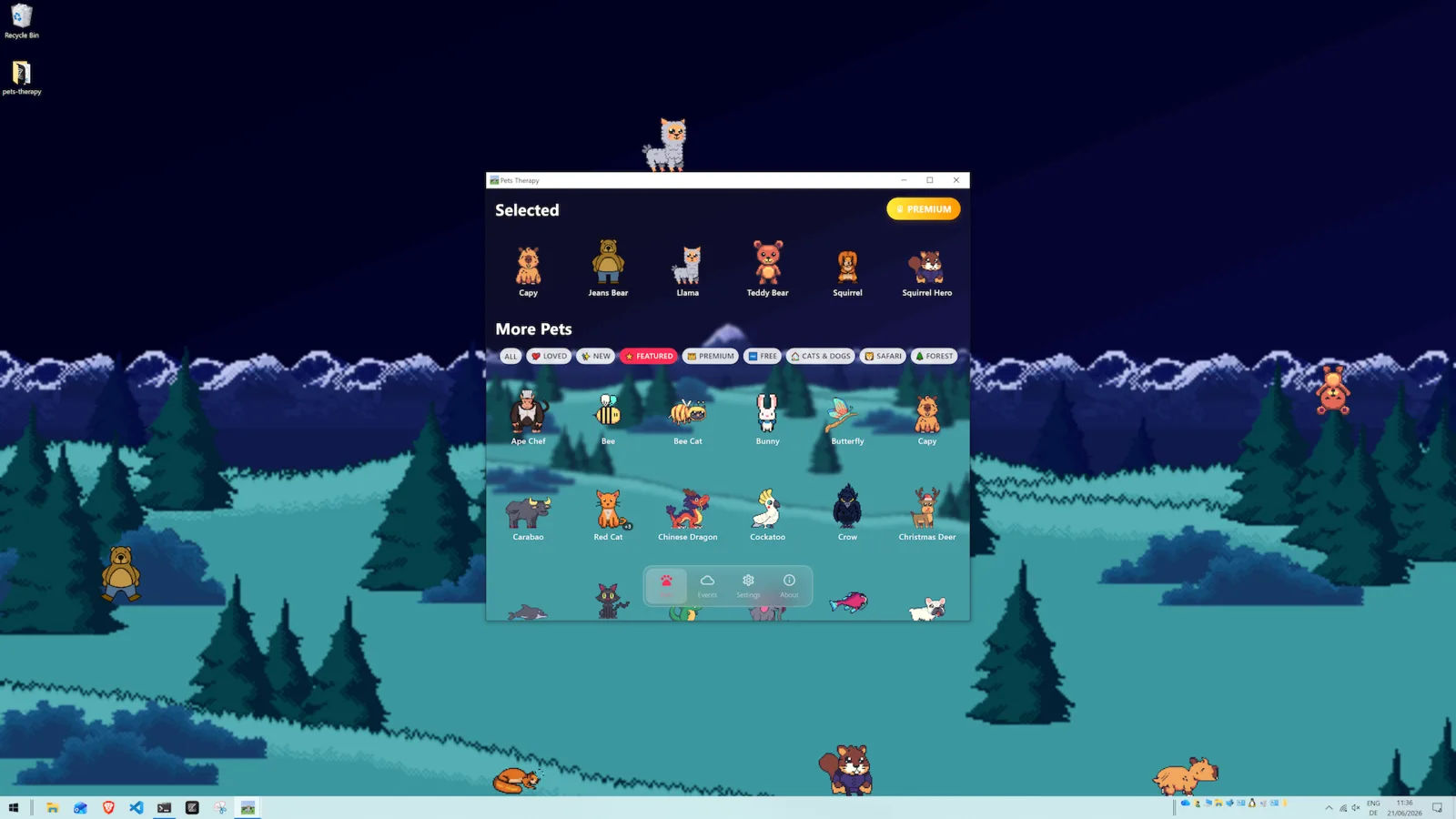
How do I make my desktop feel alive?
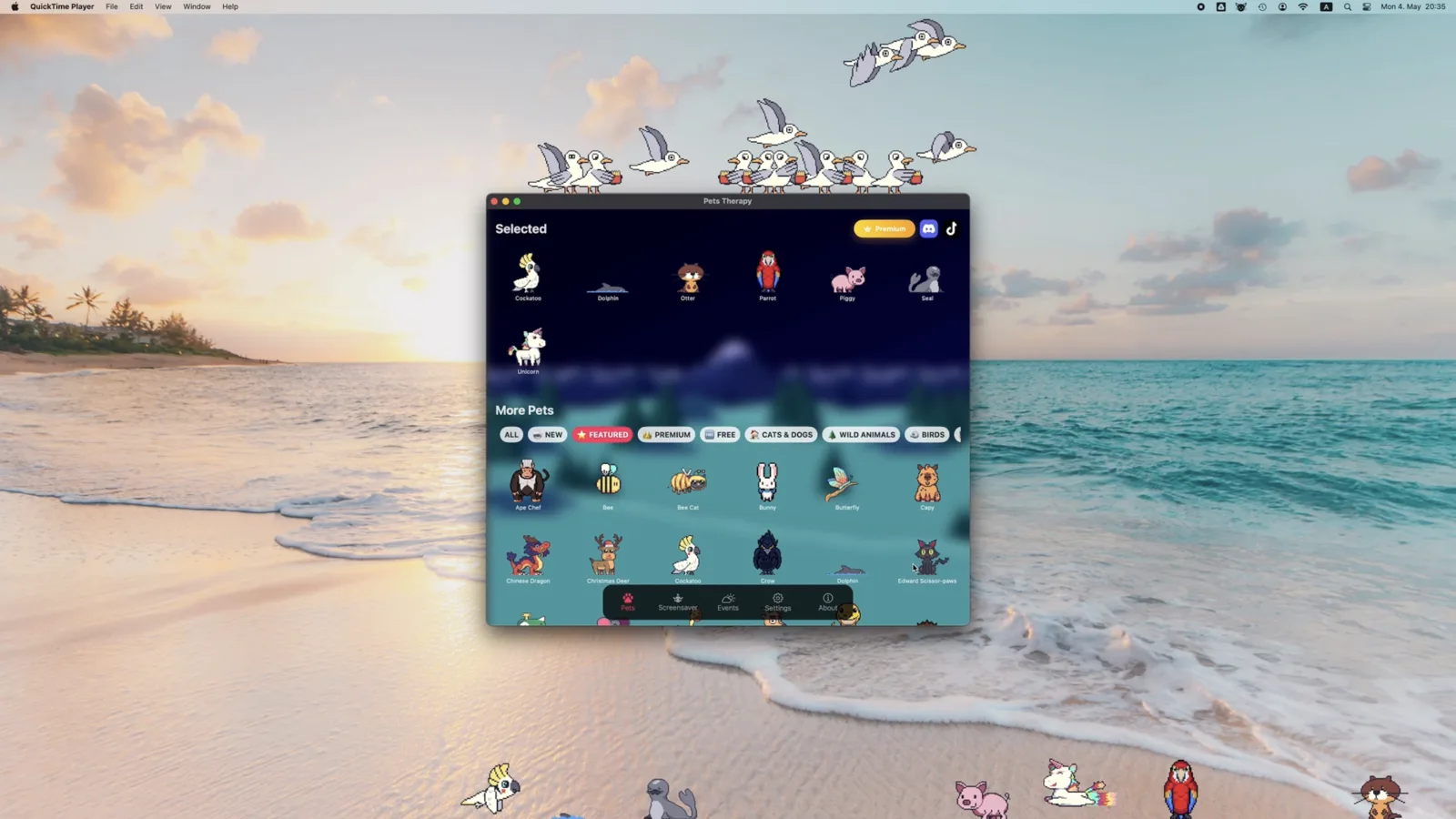
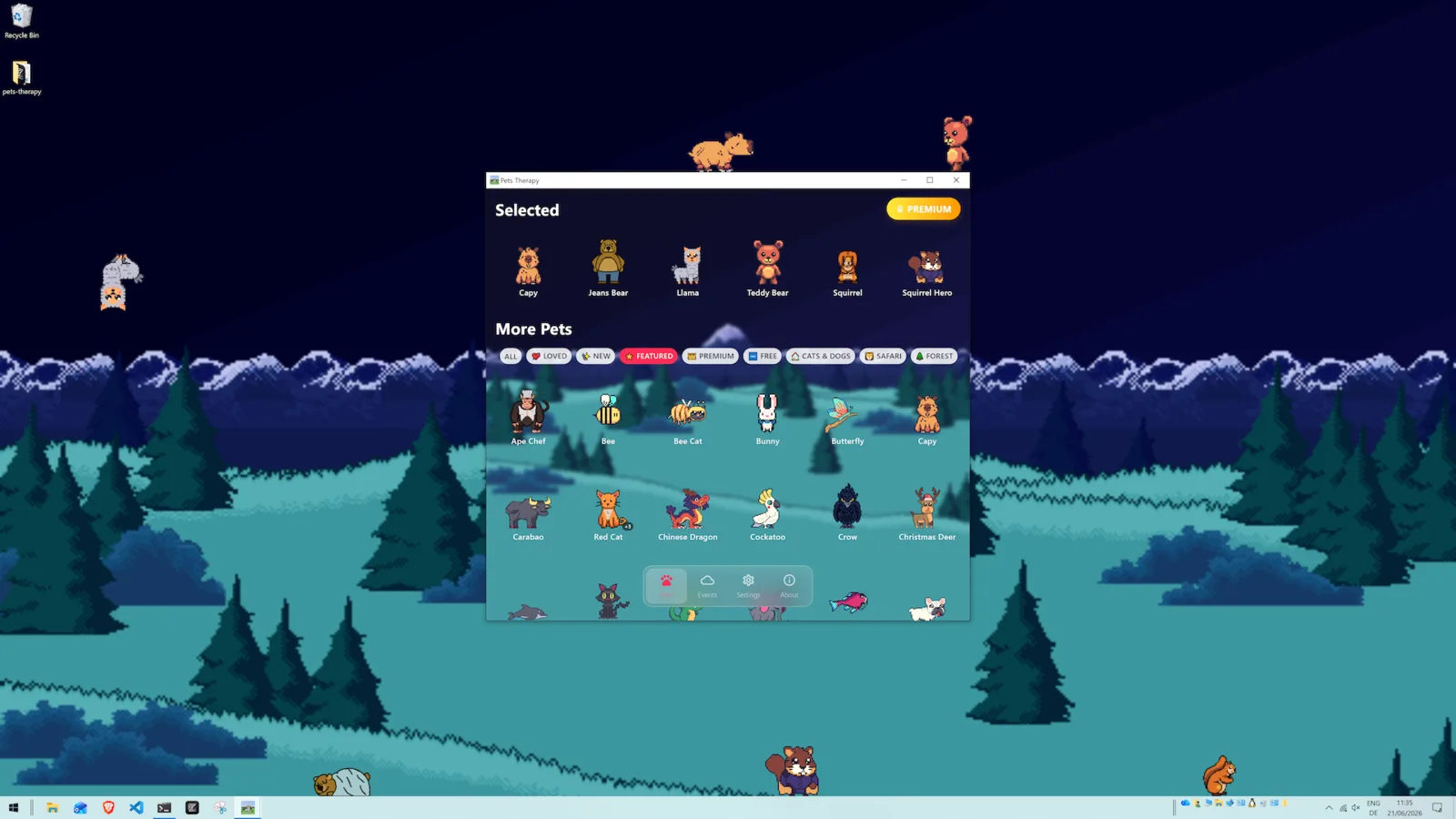
Put pets on it. Pets Therapy adds hand-drawn pixel-art pets that walk, nap and play on
top of your windows, over any wallpaper, on Mac, Windows and Linux. On Mac it also
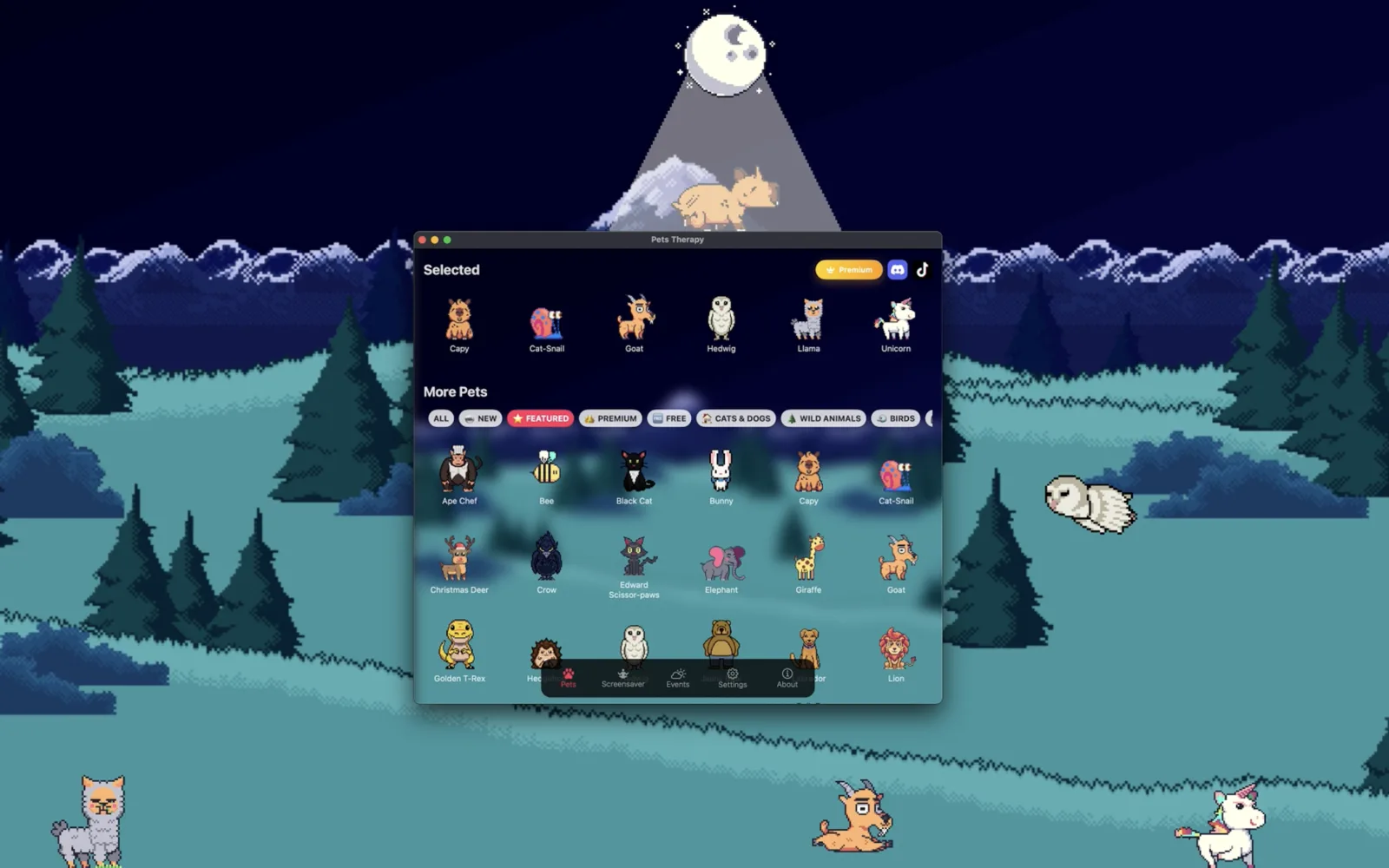
has a built-in Screensaver mode with forest and mountain scenes that follow day and night.
- Not a video loop: the pets live on your desktop and react to it, walking on window edges and the bottom of the screen.
- Keeps your wallpaper: the pets are transparent, so any wallpaper, still or animated, stays visible.
- Screensaver mode on Mac: one tab in the app turns your screen into a pixel-art scene full of pets.
- Day and night: the scene can follow your Mac's light and dark mode, like Apple's dynamic wallpapers.
- Free: 37 pets free forever. Every pet is hand-drawn by our designers.
By Cyril Cermak,
developer of Pets Therapy · Updated October 28, 2026 ·
中文版
Live and dynamic wallpapers make a desktop look less static, but they stay behind your
windows: the moment you open an app, they're gone. Desktop pets are the other way to
bring a screen to life. They live on your desktop, in front of everything,
and you can pick them up, feed them and watch them get on with their day.
Is Pets Therapy a live wallpaper?
Not exactly. A live wallpaper is a picture or video behind your windows; Pets Therapy
is a transparent layer of pets that walk on top of them, so it works together with any
wallpaper you already use.
| Live / dynamic wallpaper | Pets Therapy |
|---|
| Where it lives | Behind your windows | On top of your windows and desktop |
| Visible while you work | Only where no window covers it | Yes, pets walk along window edges and the bottom of the screen |
| Interactive | Usually not | Drag them, feed them, give them toys, watch them chat |
| What moves | A looping picture or video | Pets with their own animations and random events |
| Works with your wallpaper | It is the wallpaper | Yes, keep any wallpaper, still or animated |
| Platforms | Depends on the app | Mac, Windows and Linux |
You don't have to choose: the pets are transparent, so they sit happily in front of
a dynamic or animated wallpaper too.
Does Pets Therapy have a screensaver?
Yes, on Mac. Open the Screensaver tab in the app and the pets leave
your desktop to play on a full pixel-art scene instead.
- Open Pets Therapy and choose the Screensaver tab.
- The pets on your desktop step aside, and your selected pets drop into a forest or mountain scene.
- Click the green button in the window's corner to make it full screen.
- Tap the 🐾 paw button in the top-left corner to go back. Your desktop pets return.
It's a mode inside the app, not a system screensaver file, so it doesn't start by itself
when your Mac is idle. Put it on when you want your screen to be something nice to look at:
on a second monitor, during a break, or on a Mac that's just sitting on your desk.
Windows and Linux: Screensaver mode isn't available yet. The pets on
your desktop work exactly the same, though.
Can the screensaver change with day and night?
Yes. In Settings → Background, pick plain Forest or
Mountain and the scene follows your Mac's light and dark mode, the same way
Apple's dynamic wallpapers do.
| Setting | What you get |
|---|
| Forest | A sunny meadow by day and a moonlit one by night, switching with light and dark mode |
| Forest, Day / Forest, Night | Always the day or the night meadow |
| Mountain | Snowy peaks that switch with light and dark mode |
| Mountain, Day / Mountain, Night | Always the day or the night mountains |
The meadow behind this page is the Forest scene from the app. Toggle this page's
☀️/🌙 switch to see both versions.
What else makes the desktop feel alive?
Random events, seasonal decorations and pets that do things on their own, all happening
on top of whatever you're working on.
- Random events: every so often something happens: weather, a UFO, a teleportation portal (all free), or a shark that clears the screen.
- Seasonal themes: cobwebs, pumpkins and bats at Halloween, or any time you like via Settings → Theme decorations.
- Pets with a life of their own: they nap, eat, play and stop to chat with each other. You can feed them and give them toys.
- Every screen: pets on all your monitors, each with its own little world.
- Over full-screen apps (Mac): turn on Settings → Float over fullscreen apps & Dock and the pets stay with you during videos and games.
Want a pet that looks like your own? Make one with AI.
Full feature list: all features.
FAQ
Is it a real screensaver?
It's a Screensaver mode inside the Mac app, not a system screensaver file, so you switch it on yourself rather than it starting when your Mac is idle.
Can I use Pets Therapy together with my wallpaper?
Yes. The pets are transparent, so your wallpaper, still or animated, stays visible behind them.
Will it slow down my computer like a video wallpaper?
Pets Therapy is designed to be lightweight. The pets are small pixel-art sprites rather than a full-screen video, and the impact on normal use is minimal.
Is there a screensaver on Windows?
Not yet. Screensaver mode is Mac-only for now. On Windows and Linux the pets on your desktop work just the same.
Is it free?
Yes. It's free to download with 37 pets free forever, and the Mac Screensaver mode and day/night scenes are included. An optional upgrade adds more pets and events.
Are the pets made with AI?
No. Every pet in Pets Therapy is hand-drawn by our designers, pixel by pixel.