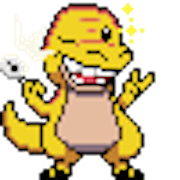
Every prompt below produces a character sheet: one image of your pet in pixel art. Follow it with the animation prompts in the same chat, then have the AI turn the results into a desktop pet with the packaging prompt. New to this? The step-by-step tutorial walks through it end to end.
✏️ A note on our own pets
Every pet that ships with Pets Therapy is hand-drawn by our designers. None of them are made by AI. These prompts are for the pets you want to make yourself, which stay on your computer.
Can I skip the prompts and just give my AI a link?
Yes. If your AI can open websites, give it the guide's link plus a photo or description of your pet, and it can make the whole pet for you.
Read this guide and follow it to make me a Pets Therapy custom desktop pet:
https://pets-therapy.com/ai-custom-pets.html

My pet: [attach a photo of your pet, or describe it, e.g. "a small round orange fox with a white-tipped tail"]
Pet id: biscuit

Follow the guide's file format exactly (50×50 frames facing right, the file names, the JSON and the ZIP), draw or generate the front, walk and drag animations, and give me the finished biscuit.zip to import into Pets Therapy.
If you can't open the link, tell me, and I'll paste the guide's prompts instead.
The prompts below are for when your AI can't browse, or when you want control over each step.
📸 Your real pet, from a photo
Attach a clear, well-lit photo with the whole body visible, then paste one of these.
Draw the dog in the attached photo as a cute chunky retro pixel-art game sprite, about 48×48 pixels, 1-pixel dark outline, flat colours with a single shade, no anti-aliasing, no gradients.
Keep its exact breed features, coat colours, markings, ear shape and collar colour so its owner instantly recognises it.
Full body, side view, facing RIGHT, tail up, happy expression.
Plain solid magenta (#FF00FF) background filling the whole image. No shadow, no ground, no text.
Draw the cat in the attached photo as a cute chunky retro pixel-art game sprite, about 48×48 pixels, 1-pixel dark outline, flat colours with a single shade, no anti-aliasing, no gradients.
Keep its exact fur pattern, eye colour and any white patches so its owner instantly recognises it.
Full body, side view, facing RIGHT, tail curled up, calm confident expression.
Plain solid bright green (#00FF00) background filling the whole image. No shadow, no ground, no text.
Draw the rabbit in the attached photo as a cute chunky retro pixel-art game sprite, about 40×40 pixels, 1-pixel dark outline, flat colours with a single shade, no anti-aliasing, no gradients.
Keep its exact fur colours, ear shape (upright or lop) and markings so its owner instantly recognises it.
Full body, side view, facing RIGHT, sitting upright between hops.
Plain solid magenta (#FF00FF) background filling the whole image. No shadow, no ground, no text.
Draw the hamster or guinea pig in the attached photo as a cute chunky retro pixel-art game sprite, about 40×32 pixels, 1-pixel dark outline, flat colours with a single shade, no anti-aliasing, no gradients.
Keep its exact fur colours, swirls and markings so its owner instantly recognises it.
Full body, side view, facing RIGHT, round and fluffy.
Plain solid magenta (#FF00FF) background filling the whole image. No shadow, no ground, no text.
Draw the bird in the attached photo as a cute chunky retro pixel-art game sprite, about 40×40 pixels, 1-pixel dark outline, flat colours with a single shade, no anti-aliasing, no gradients.
Keep its exact feather colours, beak colour and crest so its owner instantly recognises it.
Full body, side view, facing RIGHT, standing on the ground, wings folded.
Plain solid magenta (#FF00FF) background filling the whole image. No shadow, no ground, no text.
Draw the horse in the attached photo as a cute chunky retro pixel-art game sprite, about 56×48 pixels, 1-pixel dark outline, flat colours with a single shade, no anti-aliasing, no gradients.
Keep its exact coat colour, mane and tail colour, and face markings (blaze, star, socks) so its owner instantly recognises it.
Full body, side view, facing RIGHT, standing on all four hooves.
Plain solid magenta (#FF00FF) background filling the whole image. No shadow, no ground, no text.
Draw the reptile in the attached photo as a cute chunky retro pixel-art game sprite, about 56×32 pixels, 1-pixel dark outline, flat colours with a single shade, no anti-aliasing, no gradients.
Keep its exact scale colours and patterns so its owner instantly recognises it.
Full body, side view, facing RIGHT, low to the ground on four legs.
Plain solid magenta (#FF00FF) background filling the whole image. No shadow, no ground, no text.
Draw the ferret in the attached photo as a cute chunky retro pixel-art game sprite, about 56×32 pixels, 1-pixel dark outline, flat colours with a single shade, no anti-aliasing, no gradients.
Keep its exact coat colour and mask markings so its owner instantly recognises it.
Full body, side view, facing RIGHT, long body, playful expression.
Plain solid magenta (#FF00FF) background filling the whole image. No shadow, no ground, no text.
🐾 Animals from a description
No photo needed. Change the colours and details to taste.
Draw a chubby orange-and-white corgi with big upright ears and a fluffy behind as a cute chunky retro pixel-art game sprite, about 48×48 pixels, 1-pixel dark outline, flat colours with a single shade, no anti-aliasing, no gradients.
Full body, side view, facing RIGHT, stubby legs mid-step.
Plain solid magenta (#FF00FF) background filling the whole image. No shadow, no ground, no text.
Draw a sleek black cat with bright yellow eyes and a tiny white chest patch as a cute chunky retro pixel-art game sprite, about 48×48 pixels, 1-pixel dark outline, flat colours with a single shade, no anti-aliasing, no gradients.
Full body, side view, facing RIGHT, tail held high.
Plain solid bright green (#00FF00) background filling the whole image. No shadow, no ground, no text.
Draw a fluffy red panda with a striped ringed tail and white face markings as a cute chunky retro pixel-art game sprite, about 48×48 pixels, 1-pixel dark outline, flat colours with a single shade, no anti-aliasing, no gradients.
Full body, side view, facing RIGHT, walking on all fours.
Plain solid magenta (#FF00FF) background filling the whole image. No shadow, no ground, no text.
Draw a small round penguin with a bright orange beak and feet as a cute chunky retro pixel-art game sprite, about 32×40 pixels, 1-pixel dark outline, flat colours with a single shade, no anti-aliasing, no gradients.
Full body, side view, facing RIGHT, waddling upright.
Plain solid magenta (#FF00FF) background filling the whole image. No shadow, no ground, no text.
Draw a tiny brown hedgehog with soft spikes and a pink nose as a cute chunky retro pixel-art game sprite, about 40×32 pixels, 1-pixel dark outline, flat colours with a single shade, no anti-aliasing, no gradients.
Full body, side view, facing RIGHT, trotting.
Plain solid bright green (#00FF00) background filling the whole image. No shadow, no ground, no text.
Draw a brown otter with a cream belly and long whiskers as a cute chunky retro pixel-art game sprite, about 56×32 pixels, 1-pixel dark outline, flat colours with a single shade, no anti-aliasing, no gradients.
Full body, side view, facing RIGHT, walking on land, tail behind.
Plain solid magenta (#FF00FF) background filling the whole image. No shadow, no ground, no text.
🐉 Fantasy creatures
Great for pets that don't exist (yet).
Draw a chubby baby dragon with small wings, teal scales, a cream belly and a puff of smoke from its nose as a cute chunky retro pixel-art game sprite, about 48×48 pixels, 1-pixel dark outline, flat colours with a single shade, no anti-aliasing, no gradients.
Full body, side view, facing RIGHT, walking on four legs.
Plain solid magenta (#FF00FF) background filling the whole image. No shadow, no ground, no text.
Draw a cute translucent blue slime blob with two big shiny eyes as a cute chunky retro pixel-art game sprite, about 32×32 pixels, 1-pixel dark outline, flat colours with a single shade, no anti-aliasing, no gradients.
Full body, side view, facing RIGHT, squashed mid-hop.
Plain solid magenta (#FF00FF) background filling the whole image. No shadow, no ground, no text.
Draw a friendly white ghost cat with a wispy tail and soft blue glow outline as a cute chunky retro pixel-art game sprite, about 48×48 pixels, 1-pixel dark outline, flat colours with a single shade, no anti-aliasing, no gradients.
Full body, side view, facing RIGHT, floating just above the ground.
Plain solid magenta (#FF00FF) background filling the whole image. No shadow, no ground, no text.
Draw a small retro robot dog made of rounded grey metal with a red antenna and glowing eye as a cute chunky retro pixel-art game sprite, about 48×48 pixels, 1-pixel dark outline, flat colours with a single shade, no anti-aliasing, no gradients.
Full body, side view, facing RIGHT, walking on four legs.
Plain solid magenta (#FF00FF) background filling the whole image. No shadow, no ground, no text.
Draw a tiny walking mushroom creature with a red spotted cap and little legs as a cute chunky retro pixel-art game sprite, about 32×40 pixels, 1-pixel dark outline, flat colours with a single shade, no anti-aliasing, no gradients.
Full body, side view, facing RIGHT.
Plain solid bright green (#00FF00) background filling the whole image. No shadow, no ground, no text.
🏢 Mascots and fun
For offices, streams, classrooms and inside jokes.
Draw a small walking creature based on the attached logo or mascot, using the logo's colours as a cute chunky retro pixel-art game sprite, about 48×48 pixels, 1-pixel dark outline, flat colours with a single shade, no anti-aliasing, no gradients.
Full body, side view, facing RIGHT, on two or four legs.
Plain solid magenta (#FF00FF) background filling the whole image. No shadow, no ground, no text.
Draw a tiny chibi version of the person in the attached photo, keeping their hairstyle, glasses and outfit colours as a cute chunky retro pixel-art game sprite, about 32×48 pixels, 1-pixel dark outline, flat colours with a single shade, no anti-aliasing, no gradients.
Full body, side view, facing RIGHT, walking.
Plain solid magenta (#FF00FF) background filling the whole image. No shadow, no ground, no text.
Draw a cute walking onigiri rice ball with a nori wrap, a happy face and tiny legs as a cute chunky retro pixel-art game sprite, about 32×32 pixels, 1-pixel dark outline, flat colours with a single shade, no anti-aliasing, no gradients.
Full body, side view, facing RIGHT.
Plain solid magenta (#FF00FF) background filling the whole image. No shadow, no ground, no text.
Draw a small potted plant creature with leafy hair and stubby legs poking out of a terracotta pot as a cute chunky retro pixel-art game sprite, about 32×48 pixels, 1-pixel dark outline, flat colours with a single shade, no anti-aliasing, no gradients.
Full body, side view, facing RIGHT.
Plain solid magenta (#FF00FF) background filling the whole image. No shadow, no ground, no text.
Draw a sleepy walking coffee cup with steam curls and tiny legs as a cute chunky retro pixel-art game sprite, about 32×40 pixels, 1-pixel dark outline, flat colours with a single shade, no anti-aliasing, no gradients.
Full body, side view, facing RIGHT.
Plain solid bright green (#00FF00) background filling the whole image. No shadow, no ground, no text.
Animation prompts: what does a desktop pet need?
A desktop pet needs three animations (front, walk and drag), and four optional ones that unlock right-click actions, plus an optional food item.
Send these after your character prompt, in the same conversation. They all say "same character", which is what keeps your pet looking like itself.
Using exactly the same character, create a walk-cycle sprite sheet.

6 frames in a single horizontal row, evenly spaced, with clear empty background between frames.
Side view facing RIGHT in every frame. Same size, same proportions and same ground line in every frame; only the legs, tail and a 1-pixel body bob change, so the frames loop smoothly from the last back to the first.
Same pixel-art style: 1-pixel dark outline, flat colours, no anti-aliasing.
Plain solid magenta (#FF00FF) background. No shadows, no text, no frame numbers, no grid lines.
Same character, now facing the viewer (front view), sitting.

Make a 4-frame idle animation in a single horizontal row with empty space between frames:
frame 1 neutral, frame 2 eyes closed (blink), frame 3 neutral, frame 4 tiny head tilt.
Identical size and position in every frame. Same pixel-art style and outline.
Plain solid magenta (#FF00FF) background. No shadows, no text.
Same character being lifted up by the scruff of its neck: front view, body hanging straight down, legs dangling, a slightly surprised face.

2 frames in a single horizontal row with empty space between them; in frame 2 the legs swing slightly to one side.
Same size and pixel-art style. Plain solid magenta (#FF00FF) background. No hand, no shadows, no text.
Same character curled up asleep on the ground, side view facing right.
4 frames in a single horizontal row with empty space between them: the body gently rises and falls by 1 pixel (breathing), and a small "z" floats above its head in frames 3 and 4.
Same size and pixel-art style. Plain solid magenta (#FF00FF) background. No shadows, no text other than the "z".
Same character eating, side view facing RIGHT, head lowered to the ground.
4 frames in a single horizontal row with empty space between them: head down, chewing, head slightly up, chewing again.
Same size, same ground line and pixel-art style. Plain solid magenta (#FF00FF) background. No bowl, no shadows, no text.
Same character relaxing: sitting or lying comfortably, side view facing RIGHT, eyes half closed.
4 frames in a single horizontal row with empty space between them: a slow stretch or tail swish across the frames, ending back in the starting pose.
Same size, same ground line and pixel-art style. Plain solid magenta (#FF00FF) background. No shadows, no text.
Same character looking at the viewer with a happy, affectionate face, a small pixel heart floating up above its head.
4 frames in a single horizontal row with empty space between them: the heart rises and the character wiggles happily.
Same size, same ground line and pixel-art style. Plain solid magenta (#FF00FF) background. No shadows, no text.
A single small pixel-art food item this character would love (for example a fish, a bone, a carrot or a seed), drawn in the same pixel-art style with the same outline.
It should be tiny, about a third of the character's height, and wider than it is tall.
Centred on a plain solid magenta (#FF00FF) background. No plate, no shadow, no text.
Packaging prompts: how does the AI turn this into a pet?
Ask the same AI to package it: with code execution, or as a coding agent on your computer, it cuts the frames, removes the background, sizes and names every file, writes the JSON and zips it.
Use the first prompt after the character and animation prompts above. The second skips image generation entirely: a coding agent (Claude Code, Codex, Cursor…) draws the whole pet in code from a description.
Package the sprite sheets from this chat into a Pets Therapy custom pet. Use code, and give me a downloadable ZIP.

Pet id: biscuit (lowercase letters and numbers only, no spaces, no underscores).
Animations: front, walk and drag are required; also include sleep and eat if I made them.
For each sprite sheet: split it into its individual frames in left-to-right order, and remove the solid background colour.

Frame rules, for every animation:
- Fully transparent background; every pixel either fully opaque or fully transparent (no soft edges).
- All frames of one animation share the same crop box, so the pet doesn't jitter, and the feet touch the bottom edge.
- Scale with nearest-neighbour only (never smooth) onto a 50×50 px transparent canvas, bottom-centred.
- Walk, eat and sleep frames face RIGHT (the app mirrors them when the pet walks left).
- Save as PNG named {id}_{animation}-{n}.png, numbered from 0 with no gaps, e.g. biscuit_walk-0.png.

Then write biscuit.json exactly like this:
{
  "id": "biscuit",
  "movementPath": "walk",
  "dragPath": "drag",
  "fps": 10,
  "speed": 0.8,
  "scale": 1,
  "zIndex": 0,
  "tags": [],
  "capabilities": [
    "AnimatedSprite", "AnimationsProvider", "AnimationsScheduler", "AutoRespawn",
    "BounceOnLateralCollisions", "Draggable", "FlipHorizontallyWhenGoingLeft",
    "Gravity", "LinearMovement", "PetsSpritesProvider", "Rotating", "ShowsMenuOnRightClick"
  ],
  "animations": [
    { "id": "front", "position": "fromEntityBottomLeft", "requiredLoops": 5 }
  ]
}
If sleep or eat frames exist, add them to "animations" too:
{ "id": "sleep", "position": "fromEntityBottomLeft", "requiredLoops": 10 },
{ "id": "eat", "position": "fromEntityBottomLeft", "requiredLoops": 3 }

Put biscuit.json and every PNG in one folder named biscuit, zip it as biscuit.zip, and list the files inside so I can check them.
Create a Pets Therapy custom desktop pet from this description:
"A small round orange fox with a fluffy white-tipped tail and big dark eyes."

Draw the pixel-art frames yourself in code (for example Python with Pillow): cute chunky retro pixel art, a 1-pixel dark outline, flat colours with a single shade, a limited palette, and the same character in every frame.
Animations to draw:
- front: 4 frames facing the viewer, sitting (neutral, blink, neutral, small head tilt)
- walk: 6 frames, side view facing RIGHT, a smooth looping walk cycle (only the legs and tail move, plus a 1-pixel body bob)
- drag: 2 frames of the pet held up by the scruff, legs dangling and swinging slightly
- sleep: 4 frames curled up, breathing by 1 pixel
- eat: 4 frames, head down to the ground, chewing

Pet id: biscuit (lowercase letters and numbers only, no spaces, no underscores).

Frame rules, for every animation:
- Fully transparent background; every pixel either fully opaque or fully transparent (no soft edges).
- All frames of one animation share the same crop box, so the pet doesn't jitter, and the feet touch the bottom edge.
- Scale with nearest-neighbour only (never smooth) onto a 50×50 px transparent canvas, bottom-centred.
- Walk, eat and sleep frames face RIGHT (the app mirrors them when the pet walks left).
- Save as PNG named {id}_{animation}-{n}.png, numbered from 0 with no gaps, e.g. biscuit_walk-0.png.

Then write biscuit.json exactly like this:
{
  "id": "biscuit",
  "movementPath": "walk",
  "dragPath": "drag",
  "fps": 10,
  "speed": 0.8,
  "scale": 1,
  "zIndex": 0,
  "tags": [],
  "capabilities": [
    "AnimatedSprite", "AnimationsProvider", "AnimationsScheduler", "AutoRespawn",
    "BounceOnLateralCollisions", "Draggable", "FlipHorizontallyWhenGoingLeft",
    "Gravity", "LinearMovement", "PetsSpritesProvider", "Rotating", "ShowsMenuOnRightClick"
  ],
  "animations": [
    { "id": "front", "position": "fromEntityBottomLeft", "requiredLoops": 5 }
  ]
}
If sleep or eat frames exist, add them to "animations" too:
{ "id": "sleep", "position": "fromEntityBottomLeft", "requiredLoops": 10 },
{ "id": "eat", "position": "fromEntityBottomLeft", "requiredLoops": 3 }

Write everything into a folder named biscuit, zip it as biscuit.zip, then show me a preview sheet of all frames enlarged 4× so I can check them.
Does the AI tool matter?
Less than the conversation does: any tool that keeps a character consistent across images works, and chat-based tools make that easiest.
- ChatGPT, Gemini, Copilot: stay in one chat; fix single frames with "same image, but frame 4's back leg is wrong".
- Midjourney: use its image/character reference with your first image and a wide aspect ratio (e.g.
--ar 3:1) for rows. Add "flat colours, no gradients". - Stable Diffusion: a pixel-art LoRA plus a pose ControlNet; generate frames one at a time and hand them to the packaging prompt as separate files.
- Local coding agents (Claude Code, Codex, Cursor…): use the one-shot prompt; they draw the frames in code and write the files straight to a folder.
- No tool is perfect: generate extra frames and keep the best, or touch up in Piskel or Aseprite.
What do I do with the ZIP?
Import it: open Pets Therapy, go to the About page and drop the ZIP on the "Create your own!" area. It's the same on Mac, Windows and Linux.
Want to see what a finished pet looks like first? Download the example pet. If the app shows an error, the troubleshooting table explains each message.