A desktop pet is a small animated character that lives on top of
your desktop — walking around, idling, sleeping, reacting to your
cursor and generally keeping you company while you work. The category
has been around since the 1990s (remember the classic sheep?), and in
2026 there are a handful of genuinely good options. This guide compares
them on the things that actually matter: which operating systems they
support, how many pets you get, whether you can add your own, and price.
How we compared them
We weighted four practical criteria: platform support
(does it run on your OS?), variety (how many pets and
animations), customization (can you make or import your
own?), and price. Comedy value and nostalgia matter too,
but those are personal — so we call them out per app rather than ranking on them.
The ranking
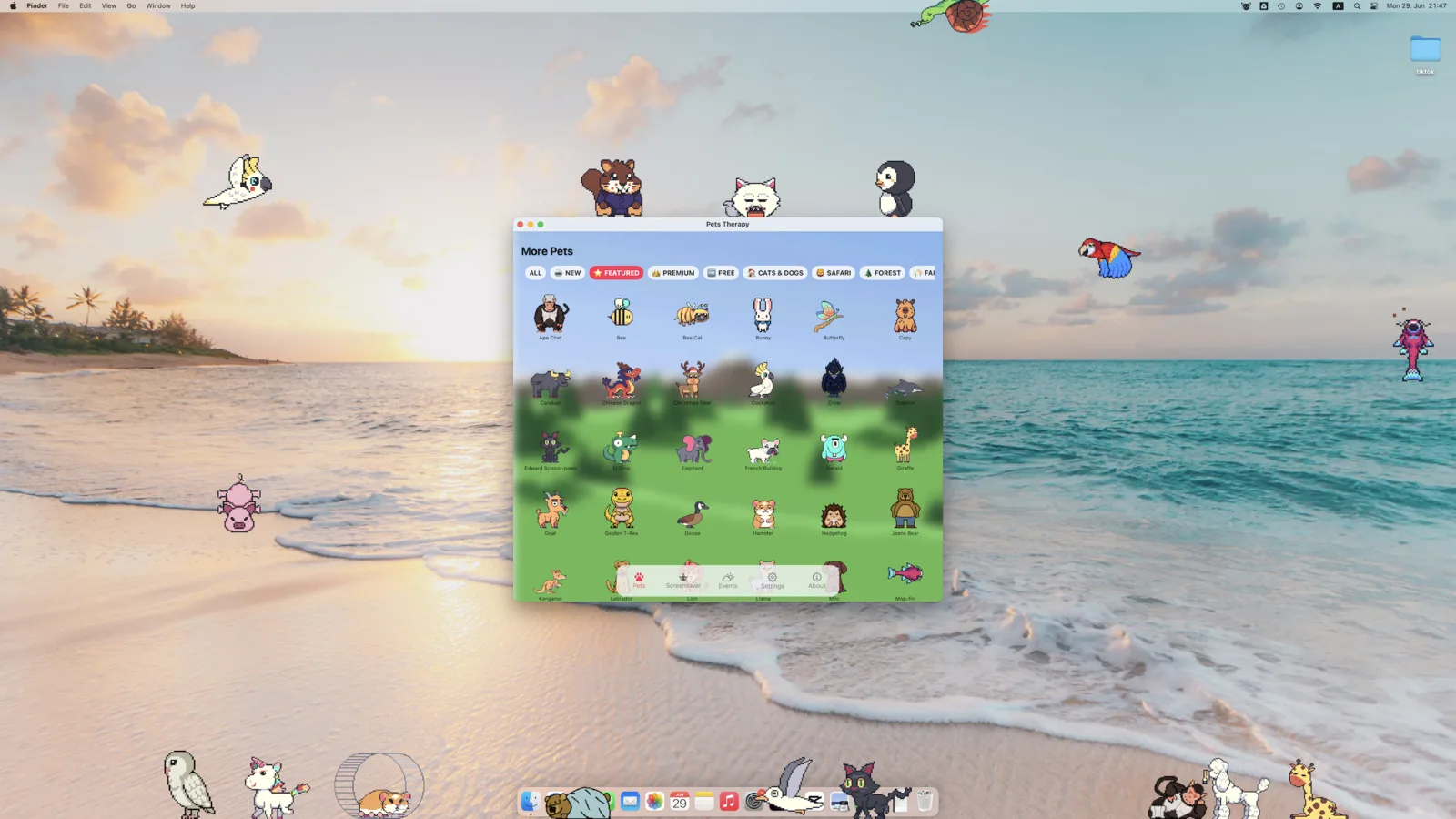
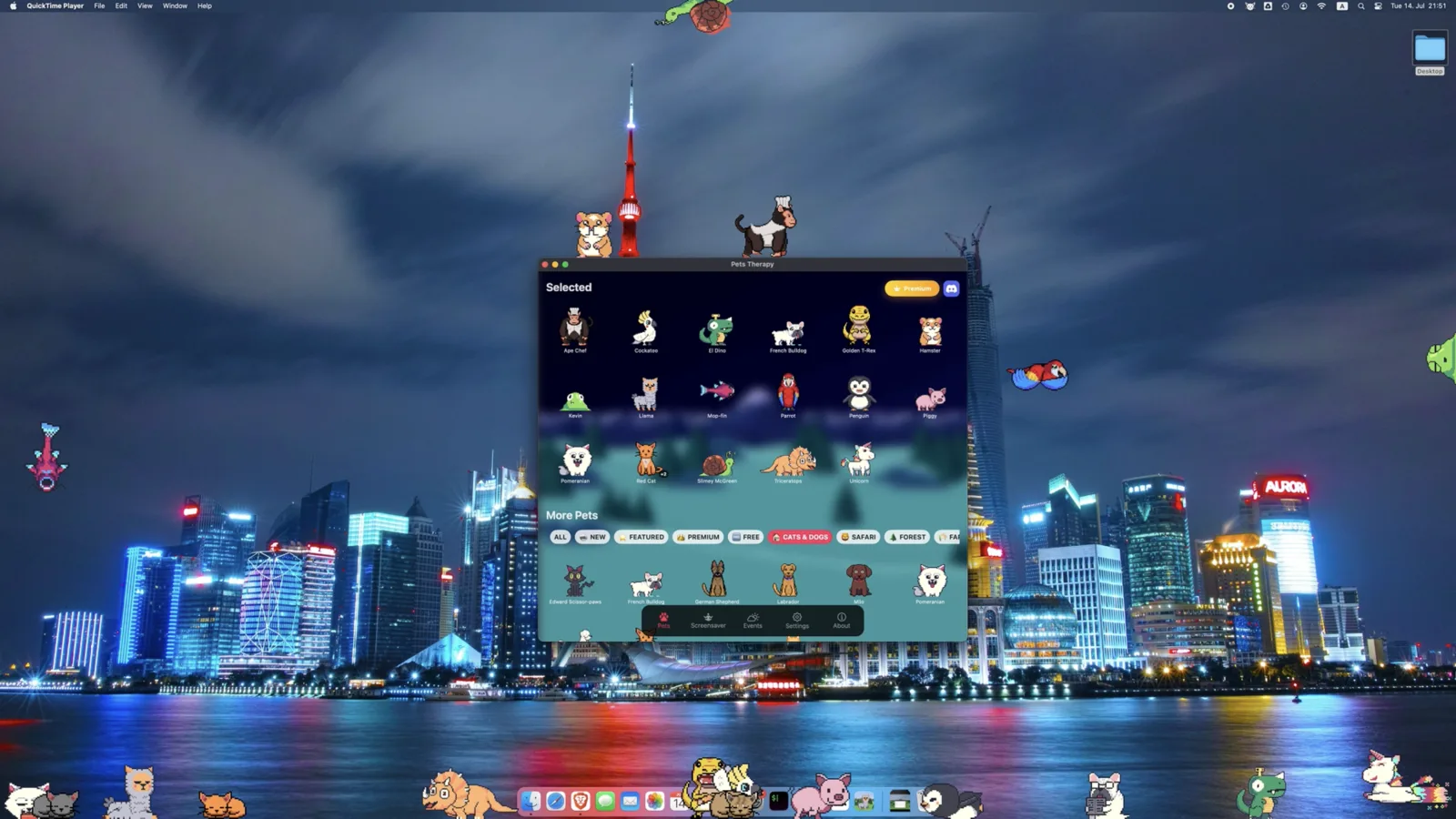
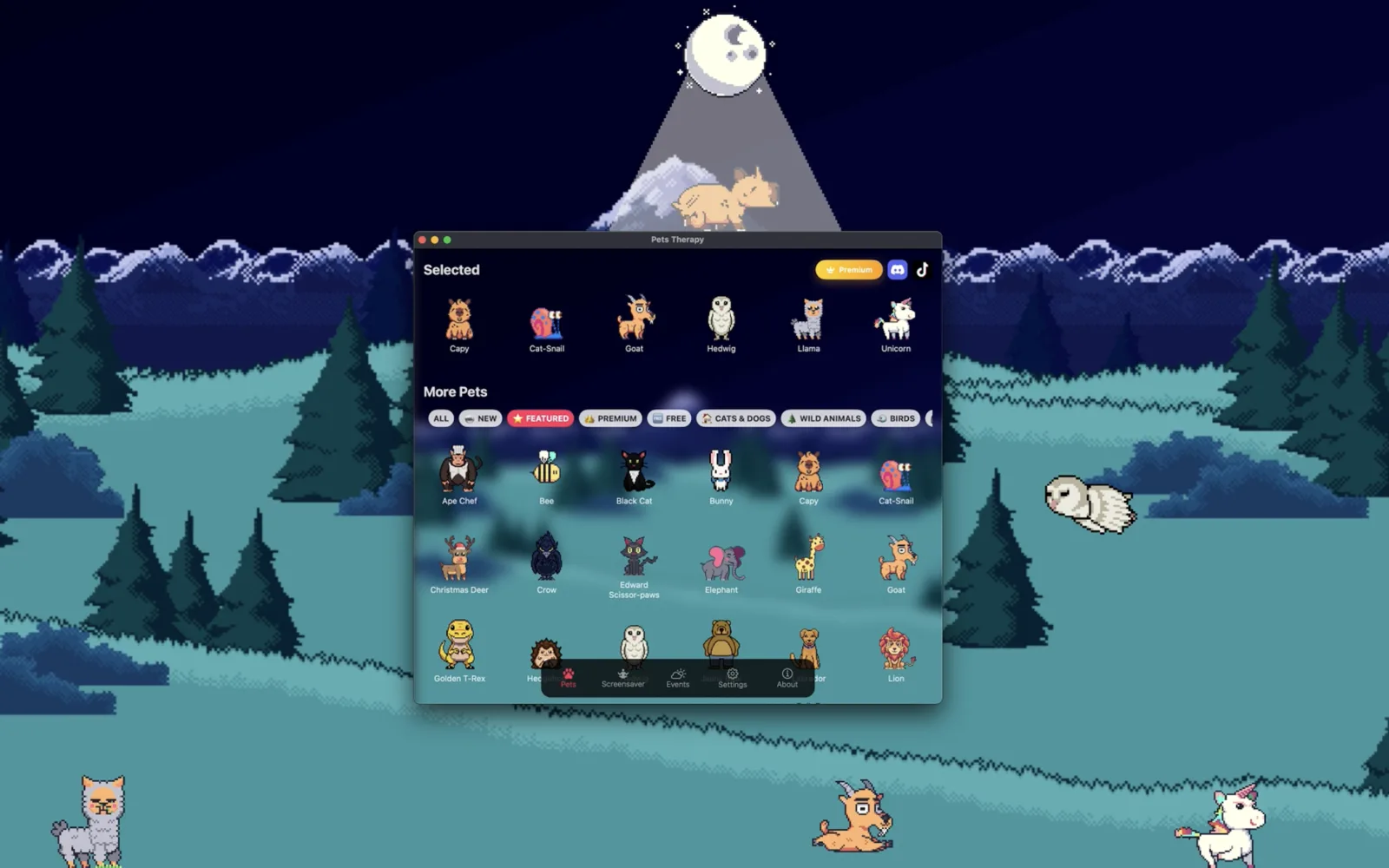
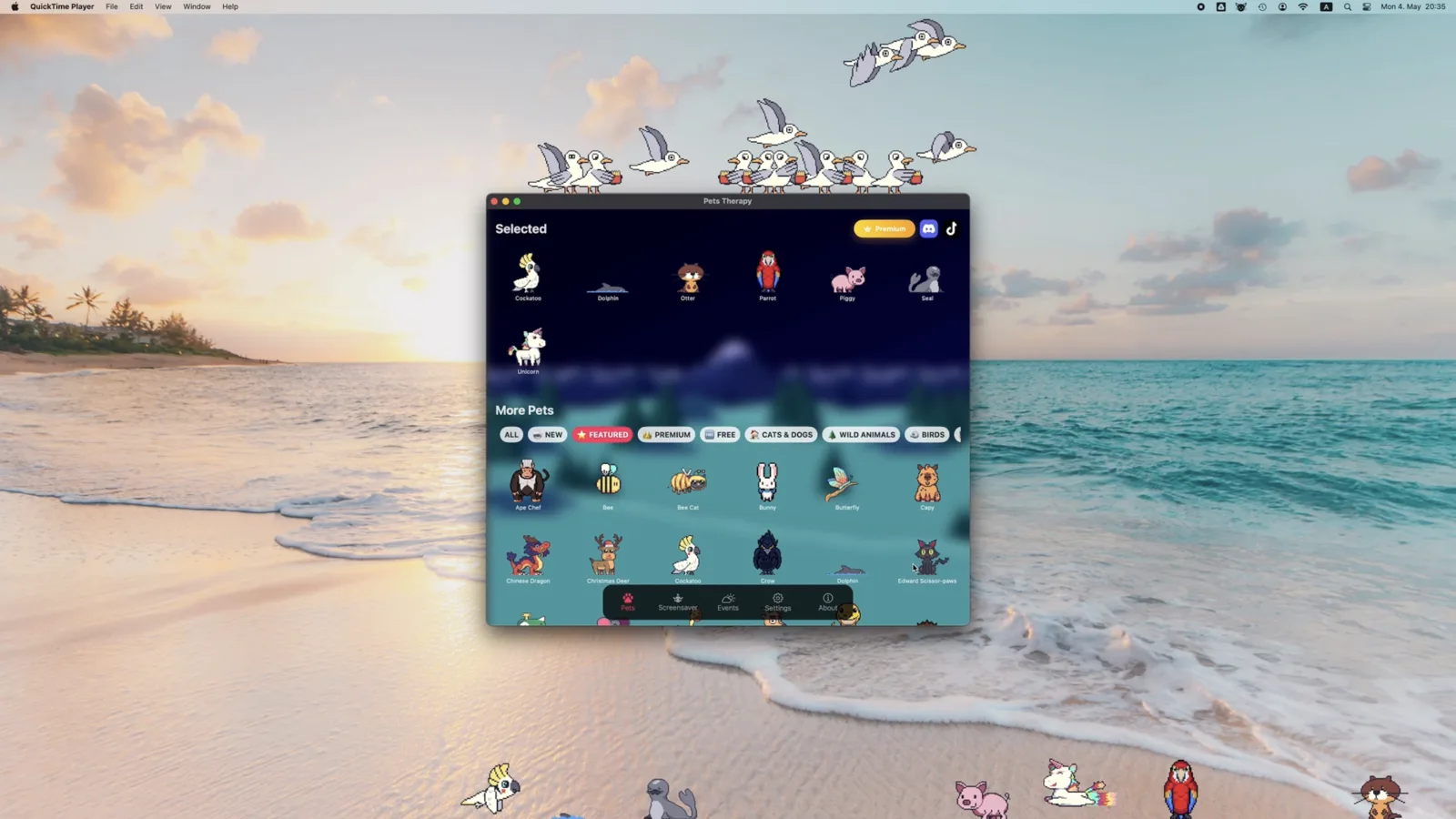
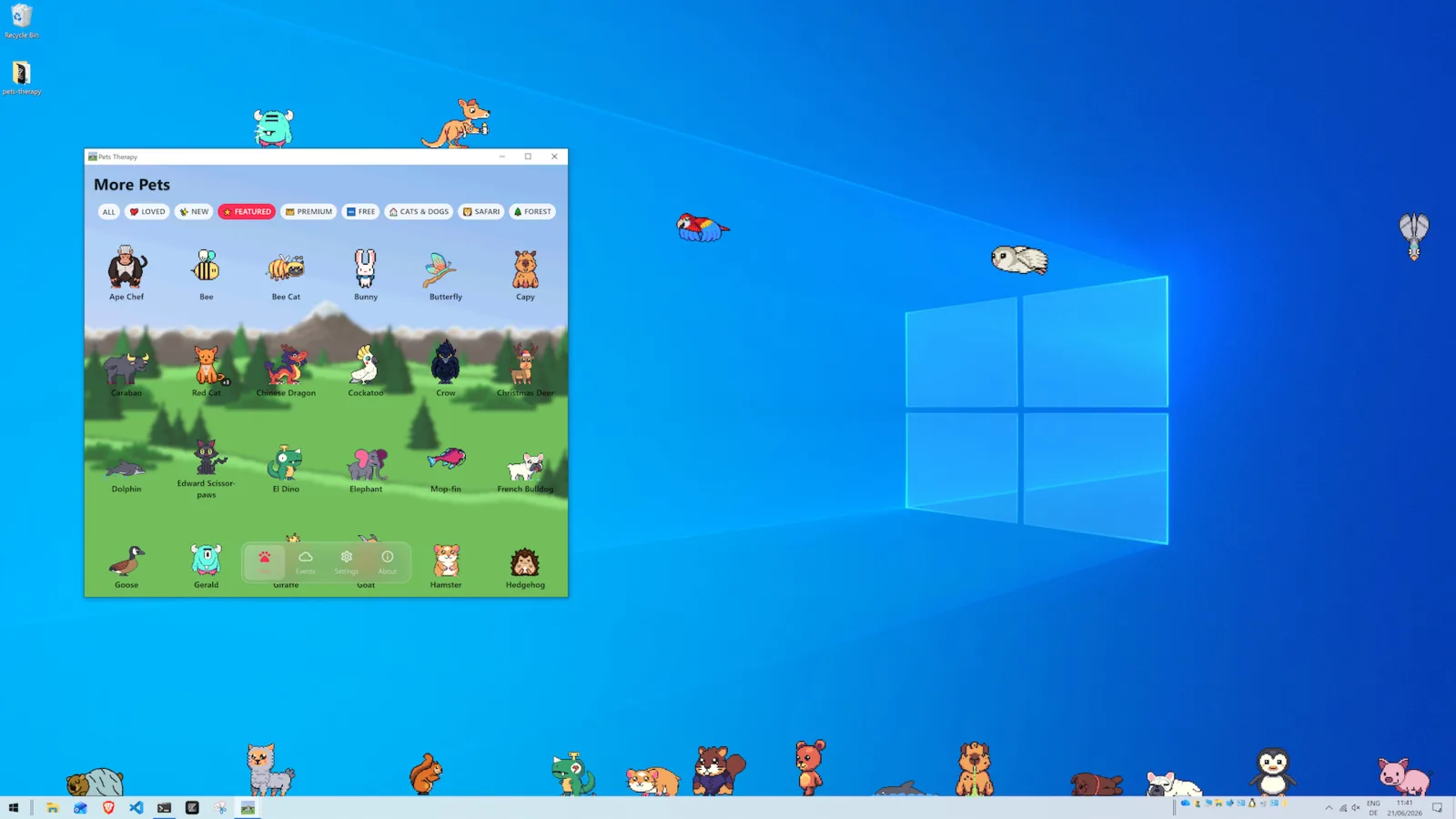
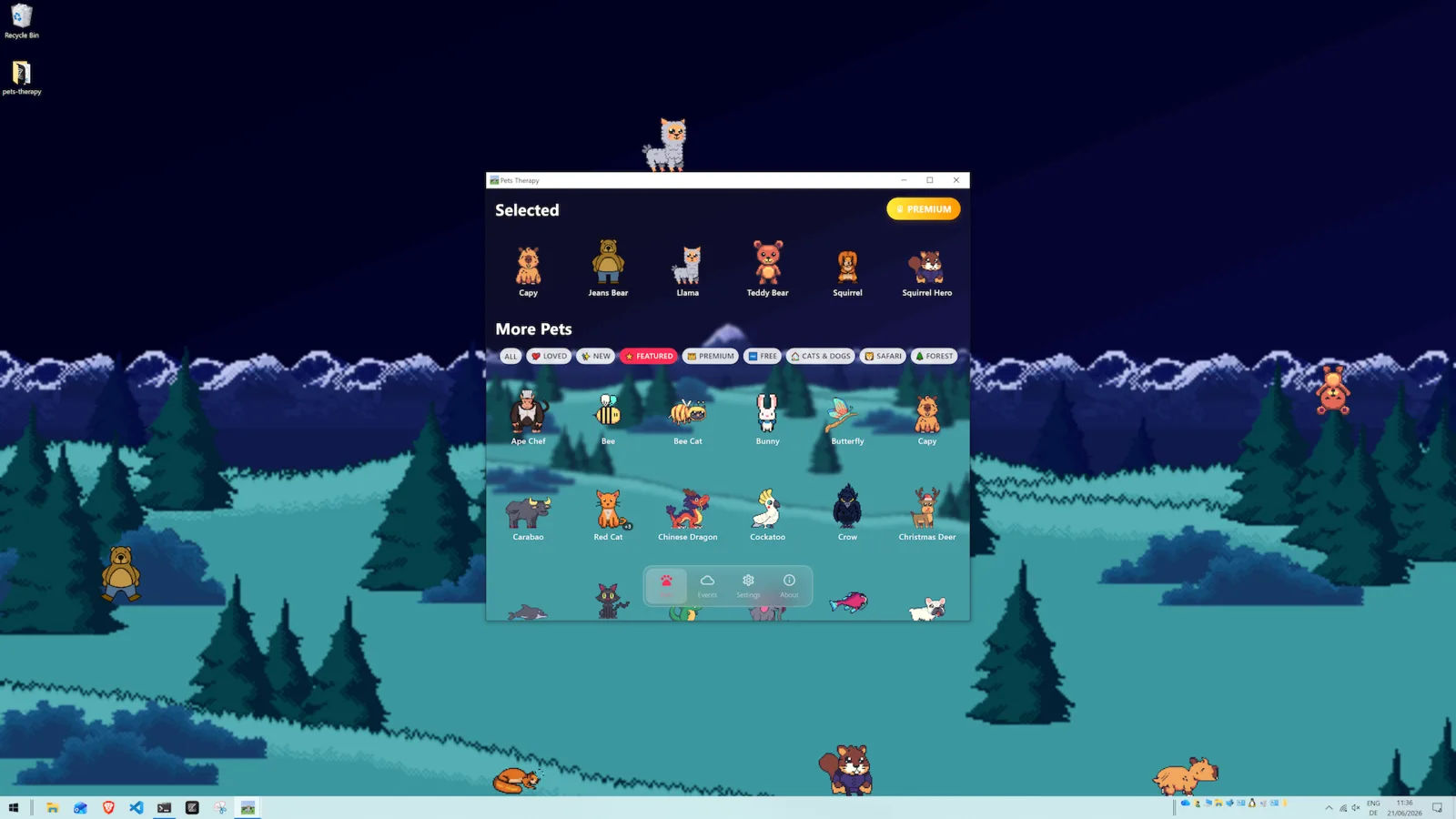
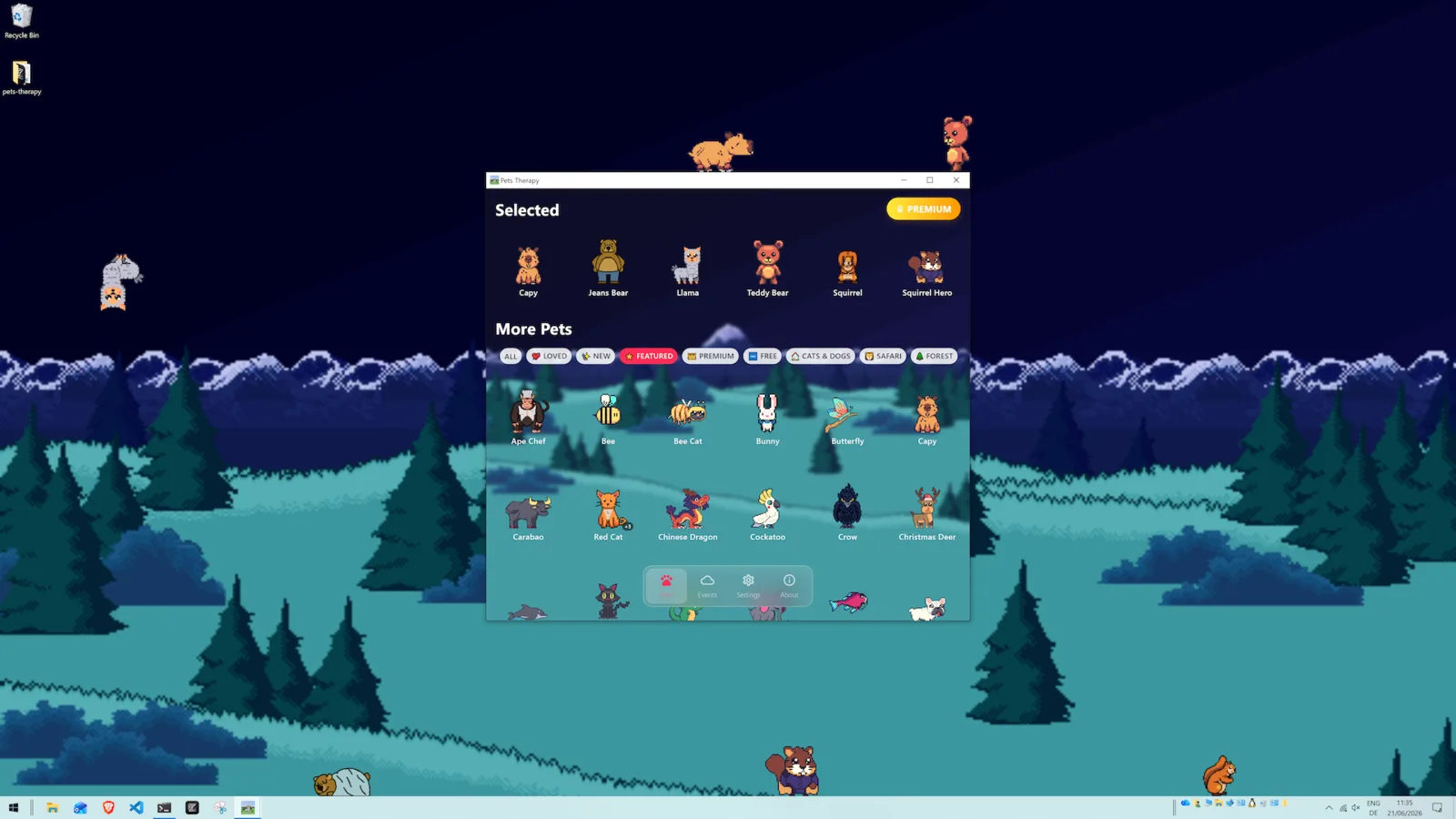
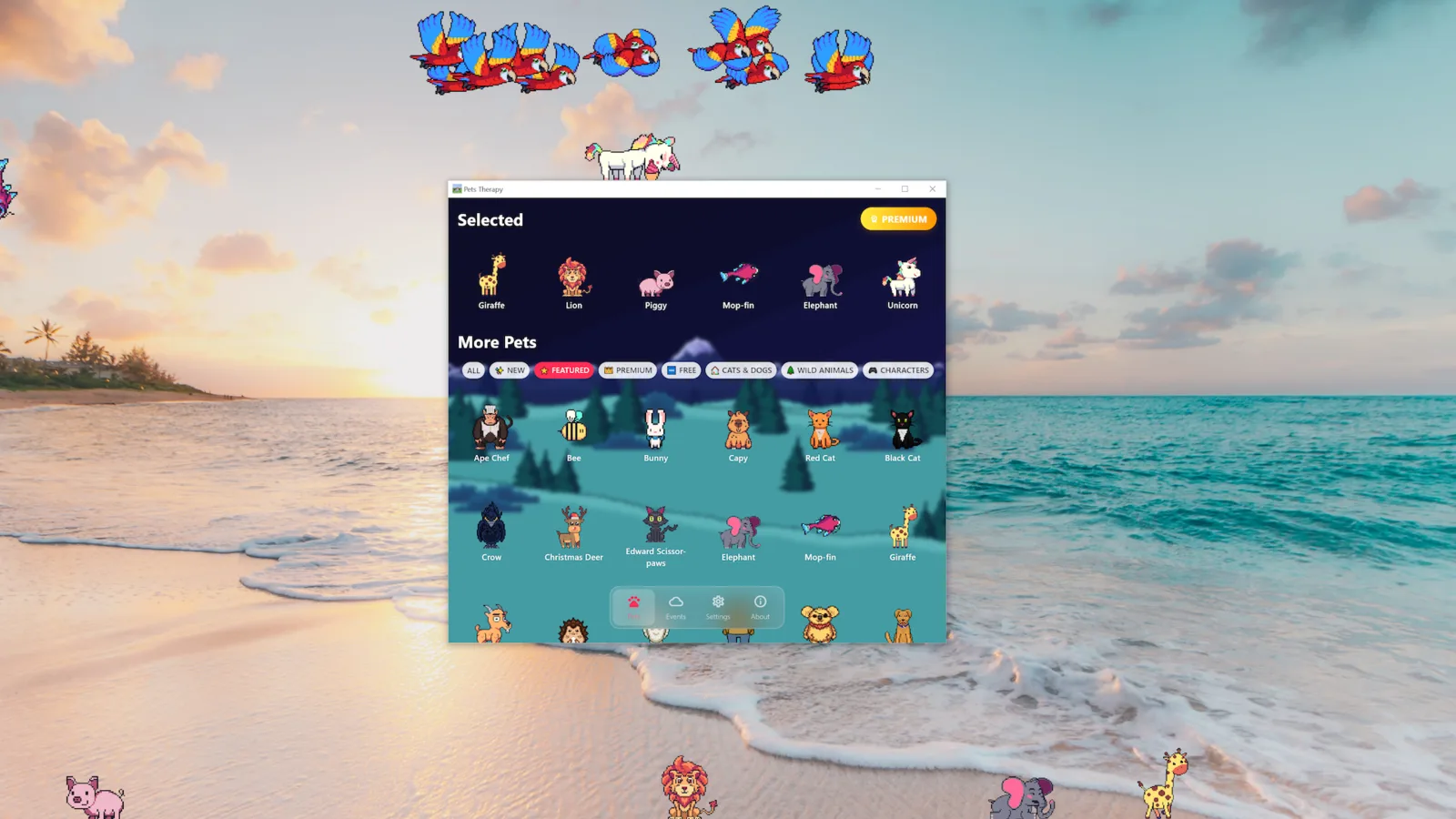
1. Pets Therapy — best overall desktop pets app
Pets Therapy is our top pick because it does the most
things well at once. It runs natively on macOS, Windows and
Linux — a genuine rarity in this category, where most apps are
locked to a single OS. It ships with 100+ pets: cats
(with 16+ color variants), dinosaurs, apes, dogs like the Shiba Inu,
pandas, koalas, sloths, sheep, frogs, crows, betta fish and more. Each
pet walks, idles, sleeps, obeys gravity, and can be dragged around.
Crucially, you can also create and import your own custom
pets with your own sprites and animations, thanks to its
purpose-built pet engine (YAGE).
The core app is free, with an optional subscription that
unlocks extra "supporters-only" pets. If you just want the best desktop
companion experience regardless of platform, this is the one to install.
It's also the only app on this list you can actually look after.
87 pets have their own food you drag onto them, 132 toys trigger 57 different
animations, and when two pets meet they
stop and hold a conversation. Feeding and
toys are free, and there are no hunger meters — it's a
desktop Tamagotchi without the guilt.
Weaknesses to be fair: it aims for cute-and-relaxing rather than
prank comedy, so if you specifically want an app that sabotages your
workflow for laughs, see Desktop Goose below.
👉 Explore Pets Therapy ·
Download for Mac ·
Download for Windows
2. Shimeji (Shimeji-ee) — best for anime characters
Shimeji is the beloved classic: little characters that cling to your
windows, climb, and multiply. The modern Shimeji-ee fork
has a massive community library of custom character packs — especially
anime. If you want a specific character from a show on your desktop,
someone has probably made a Shimeji of it. The trade-offs: it's
Windows-focused and Java-based, setup is fiddlier, and out
of the box you get one base character rather than a curated library.
3. Desktop Goose — best for chaotic comedy
Samperson's Desktop Goose isn't really a "companion" — it's
a menace, in the best way. A goose waddles across your screen, drags your
cursor, leaves muddy footprints and delivers memes. It's hilarious for a
while and great to show friends. But it's a single character built
for interruption, not a calm, always-on pet, and customization is
limited. Pay-what-you-want.
4. eSheep / Desktop Sheep — best lightweight classic
The original desktop sheep, revived as eSheep64 and similar
ports, is a tiny nostalgic critter that grazes along your window edges. It's
featherweight and free, but it's a single Windows-only character
with no real variety or customization. Perfect if you want one small pet and
nothing else.
5. Desktop Ponies — best for My Little Pony fans
Desktop Ponies is the rare single-fandom app that's
genuinely well-built: a large cast of animated ponies that walk, graze
and interact across your screen, running on Windows, macOS and
Linux. It's free, open source, and supports custom characters
if you want to draw your own. Obviously niche — if you're not into the
source material there's little reason to pick it over a general-purpose
app — but within its niche it's the clear leader.
6. Shijima-Qt — best for Shimeji packs without Java
Shijima-Qt is a modern reimplementation of the Shimeji
engine that can load existing Shimeji mascot packs while avoiding the
Java runtime entirely. That makes it especially interesting on
Linux, where classic Shimeji is at its most painful to
set up. The trade-off is a smaller user base and less polish than the
mainstream options — but if you have a Shimeji pack you love and don't
want to install a JRE, it's the most direct path.
7. Bongo Cat — best for reacting to your typing
Bongo Cat takes a different angle: rather than roaming
your desktop, it sits in one spot and drums along to your actual
keystrokes, based on the meme. It's free, tiny, and instantly
satisfying — but it's one character with no customization
and it doesn't move around, so it scratches a different itch than a true
desktop pet. Windows and macOS.
8. RunCat — best for the smallest possible footprint
RunCat lives entirely in your menu bar / system tray as
a tiny running cat whose speed reflects your CPU load — so it's part
desktop pet, part system monitor. It's the least intrusive option here
by a wide margin, which is exactly the point. If your objection to
desktop pets is "I don't want something wandering over my windows,"
this is the compromise. macOS and Windows, free.
How to choose
- You're on Mac or Linux: Pets Therapy is the obvious choice — most alternatives are Windows-only.
- You want lots of pets and variety: Pets Therapy (100+) is far ahead of the single-character apps.
- You want a specific anime character: Shimeji-ee's community packs win.
- You have Shimeji packs but hate Java: Shijima-Qt, especially on Linux.
- You want to prank a friend: Desktop Goose.
- You want the lightest possible classic: eSheep.
- You're an MLP fan: Desktop Ponies.
- You want something reactive but static: Bongo Cat.
- You want it confined to the menu bar: RunCat.
Frequently asked questions
What is the best desktop pets app?
For most people, Pets Therapy — it's free, runs on macOS,
Windows and Linux, includes 100+ pets, and supports custom pets. Shimeji is
the best pick specifically for anime characters, and Desktop Goose is best
for comedy.
Is there a desktop pets app for Mac and Windows?
Yes — Pets Therapy runs natively on macOS, Windows and Linux,
which is unusual in this category. Desktop Goose also has Mac and Windows builds.
Are desktop pets safe and lightweight?
Reputable desktop pets apps are safe to install from official stores. They do
use a small amount of CPU/GPU while animating, but well-built apps like Pets
Therapy are designed to stay lightweight during normal use.
Real footage of Pets Therapy running on a desktop
Free to download — 37 pets free forever, no trial and no ads.
Real screenshots from macOS and Windows — no mockups